


IQOS ILUMA Troubleshooting: Every Problem and Fix (UAE 2026)
 By Kawsar, TEREA & IQOS Specialist, TEREA Outlet Business BayUpdated
IQOS ILUMA troubleshooting starts with one question: what is the device doing? Most ILUMA, ILUMA i, ILUMA i ONE and ILUMA i PRIME problems come down to charge level, temperature, the stick, or a fake product. Find your symptom below and follow the matching step-by-step guide.
IQOS ILUMA troubleshooting: the quick checks
- Charge it fully with the original cable and a working adapter, for at least 30 minutes.
- Use a genuine TEREA stick. ILUMA does not work with HEETS, BLENDS or fake TEREA.
- Let it cool if it has been in a hot car or in direct Dubai sun.
- Restart the device. The exact reset steps differ by model, so follow the official IQOS user guide for yours.
- Try a fresh pack from a sealed carton before deciding the device is faulty.
IQOS ILUMA i troubleshooting by symptom
| What you see | Likely cause | Step-by-step fix |
|---|---|---|
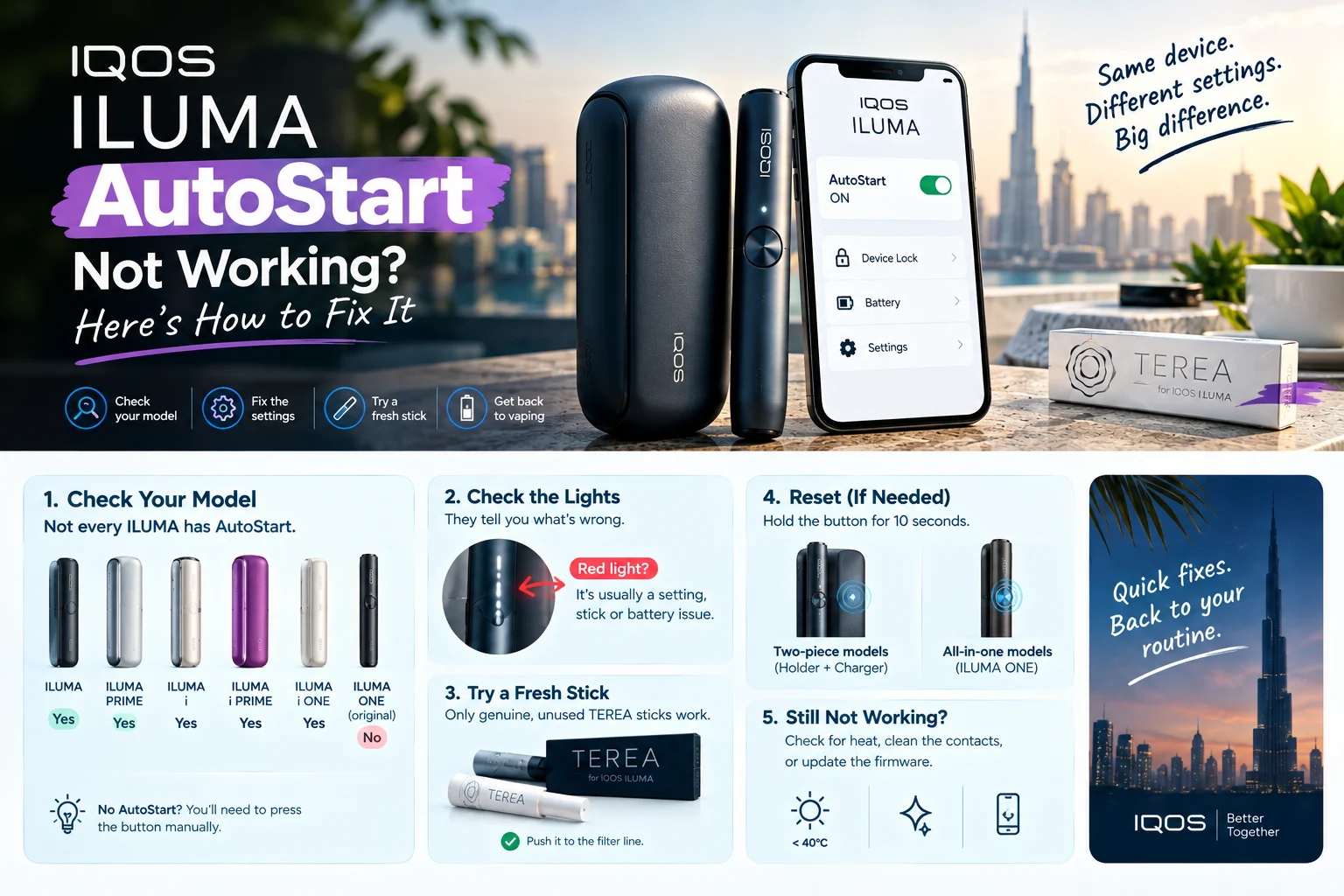
| AutoStart does not start the session | Setting off, stick not fully inserted, low battery | ILUMA AutoStart not working |
| Will not charge, or charges slowly | Cable, adapter, dirty port, heat | IQOS ILUMA not charging |
| Red light or flashing red | Temperature, error state, end of life | IQOS ILUMA red light meaning |
| Does not heat the stick | Wrong or fake stick, battery, fault | IQOS ILUMA not heating |
| Starts, then stops mid-session | Low charge, overheating, stick issue | ILUMA i starts then stops |
| Little or no vapour | Stick storage, humidity, early puffs | TEREA not producing enough vapour |
| Taste is weak or flat | Heat-damaged or fake sticks | Why TEREA tastes weak |
| Bad smell, residue | Device needs care | How to clean and maintain IQOS ILUMA |
Is the problem the stick, not the device?
Many “ILUMA problems” are really stick problems. Sticks left in a hot car dry out and taste weak; counterfeit sticks may not heat at all. Check our guides on storing TEREA in Dubai heat and spotting fake heated tobacco. Remember that TEREA only works in ILUMA, not in IQOS 3 DUO. Genuine, sealed cartons are on our TEREA page.
When to replace your IQOS ILUMA
If your device still fails after the checks above, or it was bought abroad and UAE support cannot register it, a replacement is often the quickest fix. Compare current models on our IQOS ILUMA page: the ILUMA i ONE from AED 160, ILUMA i from AED 265 and ILUMA i PRIME from AED 330. For warranty questions, contact official IQOS support.
IQOS ILUMA troubleshooting FAQ
Why is my IQOS ILUMA not working?
The most common causes are a low battery, a stick that is not genuine TEREA, the device being too hot, or a setting such as AutoStart being off. Charge it fully, let it cool, and try a fresh TEREA stick before assuming a fault.
How do I reset my IQOS ILUMA?
Reset steps differ by model, so follow the official IQOS user guide for your device. Charge it first, because many problems disappear after a full charge.
Can heat in Dubai stop my ILUMA working?
Yes. High temperatures, for example in a parked car, can stop the device from charging or heating until it cools down.
Do fake TEREA sticks cause ILUMA problems?
Yes. Counterfeit sticks may not heat properly or at all. Buy sealed cartons with the UAE tax stamp.
Does IQOS ILUMA need cleaning?
ILUMA has no heating blade, so it needs no blade cleaning, but keep the cavity and charging port free of debris.
Keep Reading: Related Guides
- IQOS ILUMA Red Light: What It Means and How to Fix It (Every Model)
- How to Store TEREA Sticks in Dubai Heat (and Keep Every Stick Tasting Right)
- IQOS ILUMA AutoStart Not Working? Causes and Fixes
Ready to shop? Start from the TEREA Outlet homepage for every TEREA flavour and IQOS device we stock in Dubai.
Shop the Products in This Guide
Everything mentioned above is in stock at TEREA Outlet in Business Bay, sealed and genuine, with delivery within 1 hour in Dubai and 12 hours across the UAE.