





Why Is My IQOS ILUMA Not Heating? 7 Fixes to Try

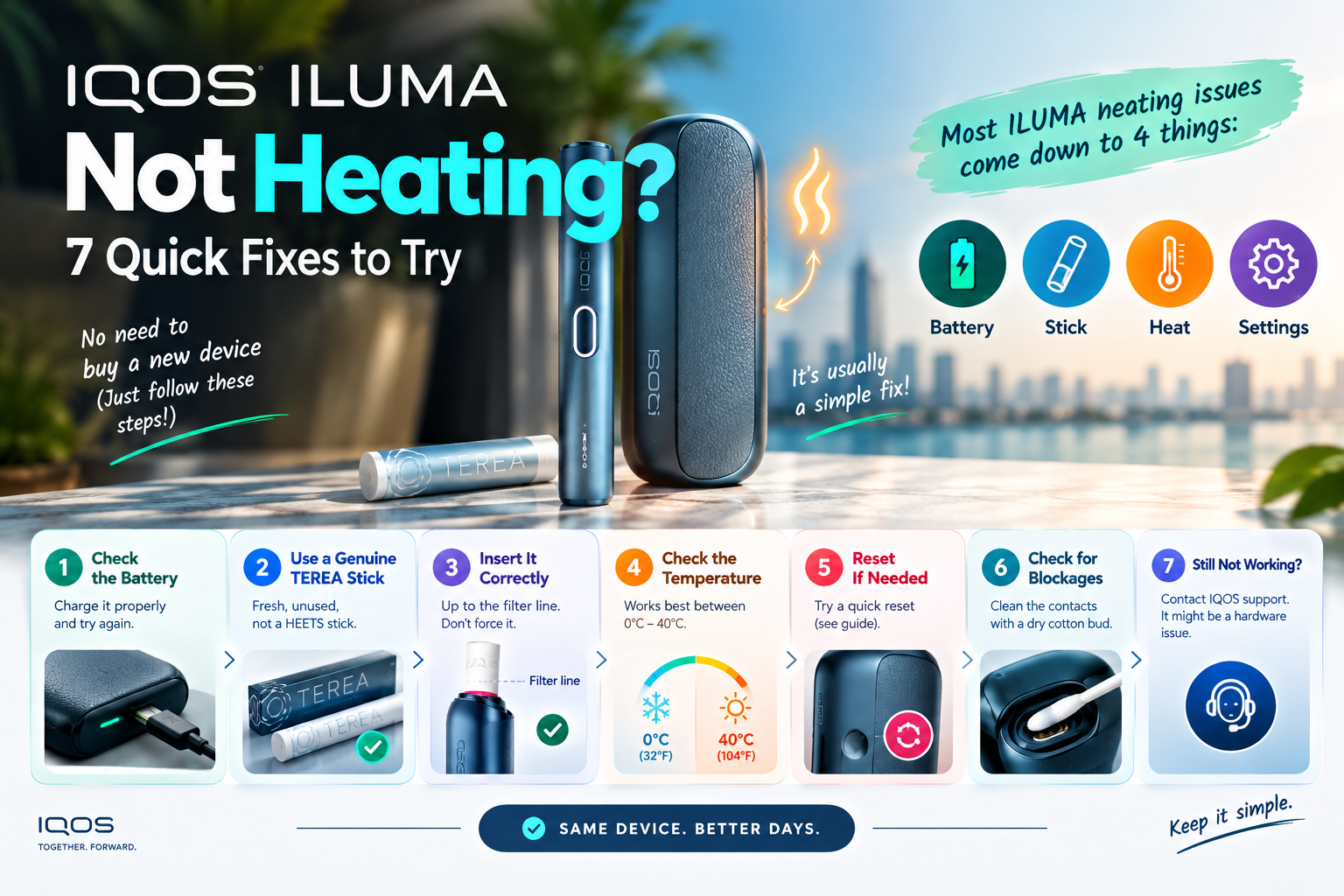
Your IQOS ILUMA usually stops heating for one of four reasons: a flat battery, the wrong or used stick, too much heat, or a small software glitch. Charge it, try a fresh genuine TEREA stick, let it cool, then reset it. That sorts out most cases in under ten minutes.
Still stuck? You probably don’t need a new device yet.
This guide shows what your lights mean, gives you seven fixes in the order worth trying, and tells you the point where it really is a hardware fault. Each fix is short, so skip straight to the one that matches your problem.
First, a one-line lesson on how ILUMA works. There’s no heating blade in the device. Instead, a metal heating element sits inside every TEREA SMARTCORE stick, and the holder heats that metal with a magnetic field. So when heating fails, the stick is just as likely to be the problem as the device. IQOS
What Are Your ILUMA’s Lights Trying to Tell You?
Your lights are the fastest clue you have. Tap the button, look at the pattern, and match it to the table below. It points you to the right fix so you don’t waste time on the wrong one.
| What you see | What it means | Try this |
|---|---|---|
| 3 blinking white lights on the Holder | The Holder is outside its temperature range | Fix 4 |
| 8 blinking white lights on the Holder | Only enough charge for one more session | Fix 1 |
| ILUMA One: bottom light blinks yellow | Battery is low | Fix 1 |
| Pocket Charger light blinks red | A reset is needed | Fix 5 |
| Device starts, but little or no vapour | Used, damp or fake stick | Fix 2 |
| Nothing happens at all with the stick in | Wrong stick, flat battery or glitch | Fixes 1, 2, 5 |
Device design changes where you look. All-in-one models like the IQOS ILUMA i ONE show everything on one light strip on the device, since there’s no separate pocket charger to check.
Fix 1: Is the Battery Too Low to Start a Session?
A low battery is the most common reason ILUMA won’t heat. The device needs a minimum charge to finish a full session, so it simply refuses to start if it doesn’t have enough. Charge it properly and try again.
Use a wall plug with the official IQOS adaptor and cable. Laptops and weak power banks charge slowly and sometimes stop halfway.
Be patient with a fully drained device. Official IQOS guidance says the ILUMA Pocket Charger takes 2 hours and 15 minutes to charge fully, and a completely empty one can take up to 20 minutes before any charging lights appear. No lights in the first few minutes doesn’t mean it’s dead. IQOS
On two-part devices like the IQOS ILUMA i Standard, charge both parts: the Holder charges from the Pocket Charger, and the Pocket Charger charges from the wall. A full charger with an empty Holder still won’t heat.
ILUMA One owners should know that a full charge takes at least 75 minutes. IQOS
Quick tip: Wipe the metal contacts between the Holder and the charger with a dry cotton bud. Dust and pocket lint block charging more often than people think.
Fix 2: Are You Using a Genuine, Unused TEREA Stick?
If your device turns on but gives weak or no vapour, the stick is the likely cause. ILUMA needs a fresh, genuine TEREA (or another official SMARTCORE stick). Old HEETS, used sticks and fakes won’t give you a proper session.
HEETS won’t work in ILUMA
An ILUMA only starts when it detects a SMARTCORE stick, so it won’t start if you insert a different stick. HEETS have no metal core for the device to heat. IQOS
A used stick can still “start” the device
This part confuses a lot of people. The Holder only needs to detect a TEREA stick to start, but a used stick can’t produce any real aerosol. So the device vibrates, looks normal, and gives you almost nothing. IQOS
Not sure if a stick is used? Used sticks have slightly creased paper around the filter. Qlabstore
Regional TEREA works the same way
Official regional TEREA packs are all SMARTCORE sticks made for ILUMA. For example, TEREA Japan comes with the same metal core inside as the local UAE packs.
Flavour and packaging change from region to region, but the heating design doesn’t. That’s why UAE shoppers can switch between TEREA types based on taste. TEREA Italy is a popular pick for people who want something a little different.
Fake sticks are a real cause
A counterfeit stick with a missing or badly made metal core won’t heat properly, or at all. If one pack gives you trouble and a fresh genuine pack works fine, you have your answer. Very cheap prices from unknown sellers are the biggest red flag.
Store your sticks right
Dubai’s air conditioning and outdoor humidity pull in opposite directions. Official IQOS guidance says TEREA packs shouldn’t sit somewhere too humid or too dry, as this affects aerosol quality. Keep every pack, including imports like TEREA Swiss, in a cool, dry drawer instead of a hot car or a steamy bathroom. IQOS
Fix 3: Is the Stick In Right, or Is Something Stuck Inside?
A stick pushed in the wrong way, or a broken piece left inside the chamber, stops heating. Check how you insert it, then look inside the device. Both take about ten seconds.
Insert the stick with the logo facing up. If it’s in correctly, the TEREA logo stays visible when you push down gently. Qlabstore
Sticks sometimes snap during a session. A sudden movement while using the device can break the stick and leave a piece inside the chamber. This happens on every model, from the original ILUMA One to the IQOS ILUMA i PRIME. IQOS
To remove a broken piece safely:
- Switch the device off and let it cool.
- Pull the piece out with your fingers.
- If that fails, use a wooden toothpick.
Never put metal objects into the chamber, and don’t push hard, because force can damage the inside surface. Vapourcore®
Myth check: Some online guides tell ILUMA owners to “clean the heating blade.” ILUMA doesn’t have one. That advice is for older IQOS devices, so ignore it.
Fix 4: Did Dubai Heat Push It Past Its Limit?
In Dubai, heat is a bigger problem than cold. ILUMA devices switch off when they get too hot, and a parked car in summer gets far hotter than the device can handle. Move it somewhere cool, wait a few minutes, and try again.
Here’s the official limit. The ILUMA ONE stops working when the temperature is outside 0°C to 40°C, and all lights blink twice in white before switching off. IQOS
Now compare that to a Dubai summer. July and August highs average around 41–42°C, readings regularly hit 45°C in direct sun, and nights stay near 30–33°C. A device left on a dashboard in Business Bay or on a sun lounger at JBR goes past its limit fast. TheBetterVacation.com
What to do:
- Put the device in the shade or an air-conditioned room.
- Give it a few minutes to return to a normal temperature.
- Don’t put it in the fridge or right in front of an AC vent.
Many online guides tell you to warm your ILUMA in your hands. That advice suits cold countries. In the UAE, you’ll almost always need to cool it down instead.
Fix 5: Have You Tried the Right Reset for Your Model?
A reset clears small software glitches without deleting anything. The catch is that the steps differ depending on your model. Use the method below that matches your device.
ILUMA Standard and ILUMA Prime
Place the Holder in the Pocket Charger and hold the charger’s button for 10 seconds, until all the lights dim out. The lights briefly blink white to confirm the reset. ILUMA i Standard and i Prime also use a Holder and Pocket Charger, but check your user guide for any small differences. IQOS
ILUMA One
IQOS UK says to press the device button for 7 seconds and release it. The lights turn off, blink twice and turn back on to confirm. Some other IQOS regional sites give 10 seconds, so hold it a little longer if 7 doesn’t work. IQOS
ILUMA i ONE
Hold the ON/OFF button for 10 seconds without letting go. The lights fade in, blink twice quickly, then show the current battery level. Iqos
Tip: Reset with the device charged. A reset on a nearly flat battery often does nothing.
Fix 6: Is a Magnet Getting in the Way?
Magnets interfere with how ILUMA works, so keep them away from the Holder during a session. The Pocket Charger itself has a magnet inside it.
Official guidance says keep magnets away from the device, and don’t rest the Holder against the Pocket Charger while you use it. Vapourcore®
Phone cases with magnetic car mounts are a common suspect, too. If your sessions keep stopping when the device sits next to your phone, separate them and test again.
Fix 7: Is the Firmware Out of Date?
Old firmware causes odd bugs, including heating that starts and stops. Connect your device to the official IQOS app and install any update it offers. It takes a few minutes.
Firmware is the set of digital instructions that runs your device, and IQOS lets you update it through the app to keep performance steady. If an update fails, charge the device fully and try again. Vapourcore®
The app also has a self-check tool. Run it as your last home test before moving on.
Tried All 7? When Is It a Hardware Fault?
If your ILUMA still won’t heat after all seven fixes, it’s likely a hardware fault. At that point, stop testing and get it looked at. More resets won’t help.
Use this simple rule. If all of these are true, it’s the device:
- It’s fully charged from a wall plug.
- You tried a fresh, genuine TEREA stick.
- It’s at room temperature.
- You reset it with the right method for your model.
- The firmware is up to date.
Before you contact anyone, have this ready: your model name, the date you bought it, a photo or short video of the light pattern, and a list of what you already tried. It saves a lot of back-and-forth.
If you bought from Terea Outlet, contact us at our Business Bay shop (Damac Majestine Tower, ground floor) or call +971 50 430 6602. Eligible damaged or defective items can be reported under our returns policy. You can also reach IQOS official customer care directly.
How Do You Stop ILUMA Heating Problems Coming Back?
Most heating problems come from daily habits, not faults. A few small changes keep your device working session after session.
- Charge it every day from a wall plug, not a laptop.
- Never leave it in a parked car, especially from May to September.
- Keep TEREA packs in a cool, dry place.
- Wipe the charging contacts once a week.
- Install firmware updates when the app offers them.
- Buy genuine sticks from a seller with a real UAE address.
- Keep magnetic phone mounts and cases away from the Holder.
Frequently Asked Questions
Why does my IQOS ILUMA stop heating in Dubai summer?
It’s most likely overheating. ILUMA devices switch off when they go above their safe temperature range, and a car in Dubai summer gets much hotter than that. Move the device somewhere cool and shaded, wait a few minutes, then try again.
Why does my ILUMA vibrate but give no vapour?
The stick is almost always the reason. The device only needs to detect a stick to start, so a used, damp or fake stick can still trigger it. Try a fresh, genuine TEREA and the vapour should return.
Can I use HEETS in my IQOS ILUMA?
No. ILUMA only starts when it detects a TEREA or other SMARTCORE stick. HEETS have no metal core inside, so the device won’t heat them at all.
How long should I hold the button to reset my ILUMA?
It depends on the model. ILUMA Standard and Prime need 10 seconds on the Pocket Charger button with the Holder inside. ILUMA One needs about 7 seconds on the device button, and ILUMA i ONE needs 10 seconds.
What do 3 blinking white lights mean on ILUMA?
Three blinking white lights mean the Holder is too hot or too cold to work. In the UAE, it’s almost always too hot. Let it return to room temperature before you try again.
Can fake TEREA sticks stop my ILUMA from heating?
Yes. A fake stick with a missing or poor metal core won’t heat properly, or at all. If a genuine pack works and another pack doesn’t, the problem pack is likely counterfeit.
Is my ILUMA broken if it won’t heat after a reset?
Not always. Check the battery, try a new genuine stick and let the device cool first. If it still won’t heat after all seven fixes, treat it as a hardware fault and contact your retailer or IQOS support.
Where can I get help with my ILUMA in Business Bay, Dubai?
Terea Outlet is at Damac Majestine Tower, ground floor, Business Bay. You can call +971 50 430 6602 for help with devices bought from us. Bring the device, the charger and a note of the light pattern you see.
Final Word
Start with the simple stuff. Charge from a wall plug, try a fresh genuine TEREA, and let the device cool if it’s been anywhere near the sun. Most “dead” ILUMAs come back to life at one of those three steps.
If none of the seven fixes work, stop resetting and get the device checked. Snap a photo of the light pattern, note what you tried, and contact your retailer with those details ready.
Terea Outlet products are for adults aged 18+ (or the legal smoking age in your area). Heated tobacco products aren’t risk-free and contain nicotine, which is addictive.